










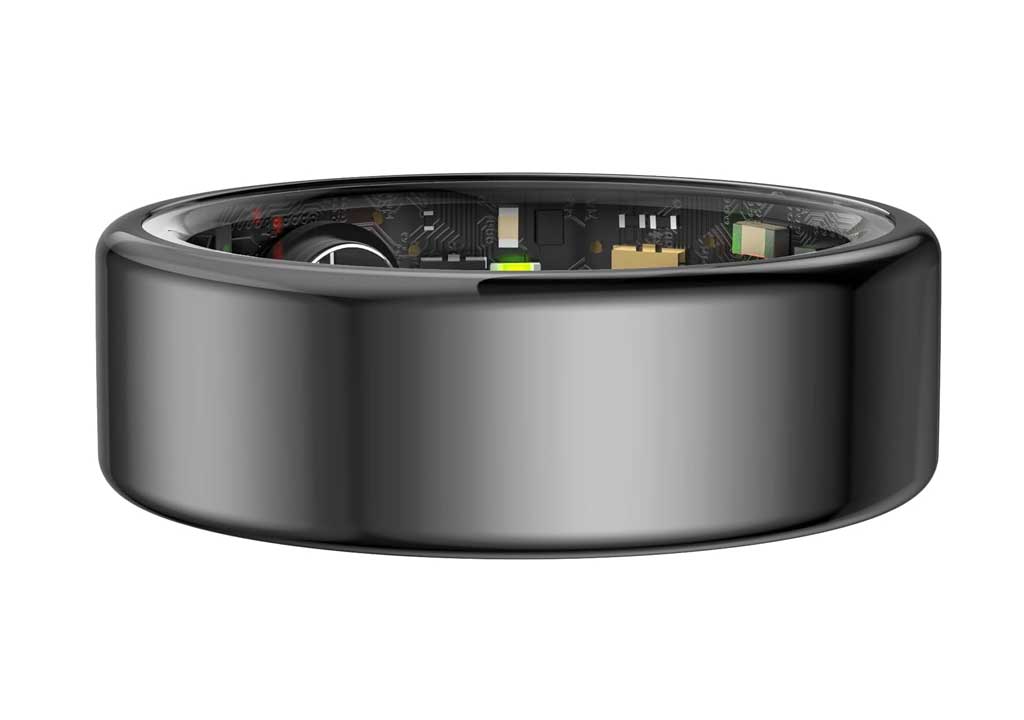
Hands-Free Productivity: Mastering Task Management with Smart Rings

Hands-Free Productivity: Mastering Task Management with Smart Rings
Productivity software and wearable tech have often operated in parallel lanes, each offering powerful capabilities. But the real magic happens when you blend hands-free convenience with smart task management. A smart ring—a discreet, wearable companion worn on your finger—can become a powerful ally in your quest to manage tasks, projects, and daily priorities without ever reaching for your phone. In this guide, we’ll explore how to leverage smart rings to unlock hands-free productivity, from setting up your ring to integrating it with your favorite task apps, and building routines that keep you focused, organized, and in control—wherever your day takes you.
What is a smart ring, and why is it a game changer for task management?
A smart ring is a wearable device worn on the finger that packs sensors, connectivity, and a small computer into a compact ring form. Depending on the model, it can track biometric data (sleep, heart rate, activity), deliver notifications, respond to gestures or taps, and run automation that connects with your phone or cloud services. The hallmark of a smart ring is hands-free interaction: you can perform actions by tapping, swiping across the ring’s surface, or using micro-gestures, often with haptic feedback confirming your command.
For task management, a smart ring offers a blend of immediacy, privacy, and focus advantages:
- Immediate task capture without pulling out a phone or opening a laptop.
- Context-aware actions—like adding a task when you finish a meeting, or updating a task while you’re walking.
- Reduced cognitive load and fewer interruptions, helping you stay in flow while you plan, prioritize, and execute.
- Seamless integration with your calendar, notes, and project management tools through voice, gestures, and automation.
While smart rings are not a universal substitute for a full desktop task system, they excel at three things: quick capture, hands-free updates, and frictionless coordination with your preferred productivity stack. That combination can meaningfully shrink the gap between intention and action, which is at the core of effective task management.
Key features of smart rings that power task management
Not all smart rings are created equal, but most productive setups share several core capabilities. Consider these features when choosing a ring and shaping your workflow:
- Gesture and tap controls: Simple taps or swipes to add, edit, or complete tasks, switch contexts, or trigger automations without touching your phone.
- Voice input compatibility: Built-in voice capture or seamless integration with your phone’s voice assistant to create and update tasks via spoken commands.
- Notifications and silenced mode: Selective notification delivery to reduce interruptions, while still giving you timely reminders for deadlines and priorities.
- Haptic feedback: Gentle vibrations to acknowledge actions, confirm task creation, or warn you about upcoming due dates.
- NFC or smart tag interactions: Tap or scan contextual tags to launch tasks, open apps, or pull up relevant notes or templates.
- Calendar and task app integration: Native or third-party integrations with Todoist, Trello, Asana, Notion, Google Tasks, Microsoft To Do, and more.
- Security features: Biometric unlock, session isolation, and privacy controls to keep sensitive project details safe on the go.
When evaluating a ring, map these capabilities to your current workflow. If you mostly manage tasks in Todoist and Notion, ensure the ring can quickly create items in those apps, fetch due dates, and update progress with minimal friction. If you’re heavily embedded in a calendar-driven routine, prioritize rings with strong calendar integration and reliable voice capture for meeting notes and action items.
Designing a hands-free workflow: from capture to completion
To get the most out of a smart ring for task management, you need a coherent workflow that leverages the ring’s strengths at each stage of task life cycle. Here is a practical blueprint you can adapt to your needs.
1) Capture: turn thoughts into tasks without disruption
One of the most powerful benefits of a smart ring is the ability to capture tasks the moment they arise. Create a habit to use ring-triggered commands as soon as something comes to mind, whether you’re in a meeting, on a walk, or just finishing a task. Examples:
- Gesture or voice command: “Create a task: Draft Q3 report outline due Friday.”
- Quick add via calendar context: “Add meeting follow-up task for Thursday at 2 PM.”
- Contextual templates: Use pre-set templates like “Follow up with [name], due [date], priority [P1/P2].”
Tip: Pair your ring with a few well-tuned templates in your task app so that the ring can populate fields (title, due date, project, labels) with minimal typing or voice dictation.
2) Prioritize: decide what matters most with minimal friction
Prioritization is often the hardest part of task management. Use your ring to triage tasks as they come in, applying a simple framework you can remember in a glance:
- Urgent vs. important: Is this task time-sensitive, or is it important for progress?
- Today vs. later: Should I do this today, or defer to a specific day?
- Contextual tagging: Tag tasks by project, client, or environment (e.g., “Office,” “Remote,” “Client A”).
With a smart ring, you can assign priorities quickly using voice tags or gesture-based shortcuts. For instance, you might say, “Set due date to today” or perform a short gesture to flag the task as high priority. Some apps allow you to set priority levels directly via voice (P0, P1, P2) or by selecting a label; configure your ring’s actions to match your preferred hierarchy.
3) Organize: keep your system clean and navigable
Organization doesn’t have to be laborious. Create a minimal, flexible schema that your ring can manipulate:
- Projects or contexts: Group tasks into projects (Work, Personal, Learning) or contexts (Office, Home, On the Move).
- Templates and checklists: For recurring tasks, use templates that the ring can instantiate with a single gesture or voice command.
- Automatic reminders: Set reasonable reminders for due dates, check-ins, or time-bound goals, so you’re nudged rather than overwhelmed.
Tap a ring gesture to pull up the most relevant project or task view on your phone or computer, enabling a quick pass before you move on to the next item.
4) Act: complete or advance tasks with one gesture
When it’s time to act, the ring should empower you to update progress or mark tasks complete without fumbling for your device. Examples:
- Mark as done: A simple ring tap or voice command to mark a task complete.
- Move to next action: Convert a task into a subtask or a maintained note, depending on your workflow.
- Reschedule with a tap: Propose a new due date or shift it to a project’s next milestone.
Automation can help further: create a rule that when a task is completed, a related task’s status or a dependent due date automatically adjusts, keeping your system aligned without manual tweaks.
Choosing the right smart ring for productivity
Choosing a smart ring depends on compatibility, comfort, and the quality of its app ecosystem. Here are practical criteria to guide your decision:
- Platform compatibility: Check whether the ring’s companion app runs on your mobile OS (iOS, Android) and whether it can connect to your task apps (Todoist, Notion, Asana, Trello, Google Tasks, Microsoft To Do).
- Gesture reliability: Look for rings with a responsive gesture set (tap, double-tap, swipe) and configurable controls that feel natural to you.
- Battery life and charging: A ring should last at least a full day of regular use; some models offer 2–3 days. Consider charging speed and dock availability.
- Comfort and form factor: Ensure the ring is comfortable for long wear, skin-friendly materials, appropriate sizing, and doesn’t interfere with daily tasks or touchscreens.
- Security and privacy: Favor devices with robust authentication options and transparent data handling policies; verify how task data is synced and stored.
- App ecosystem and automation: A strong ecosystem allows you to customize actions, create shortcuts, and connect to your preferred task apps with minimal friction.
Before purchasing, it can help to map your current task stack and consider a trial period with a return policy. Start with one core ring and one or two essential integrations, then expand as you gain confidence and clarity about your needs.
Integrating smart rings with your task apps and services
A smart ring shines when it plays well with the tools you already rely on. Here are practical integration patterns to maximize productivity:
- Todoist or Microsoft To Do: Use the ring to create tasks, assign projects, and set due dates. Use voice input to capture details and ring gestures to mark as complete or snooze.
- Notion or Evernote for notes: Link quick notes or action items captured by the ring to your notes database or a dedicated project page.
- Calendar sync: Keep meetings and deadlines in view. Use the ring to add a follow-up task after a meeting or to set a reminder for a time-block.
- Trello or Asana: Create cards or tasks within boards and assign owners or labels with a quick gesture, helping you manage workflows on the go.
- Automation platforms (IFTTT, Zapier): Build simple automations such as “When I mark a task complete, update a related project milestone” or “Create a daily summary note at the end of the workday.”
Tip: Start with your most-used apps and a couple of automations. Once you’re comfortable, expand by adding more integrations that genuinely streamline your workflow rather than complicate it.
Hands-free task creation and updating: practical techniques
Below are practical techniques to implement with a smart ring in real-world contexts. Adapt these to your personal work style and the apps you depend on most.
Voice-first task capture
Use voice commands to capture tasks when your hands are occupied—driving, commuting, cooking, or exercising. Example phrases you can adapt to your assistant or ring’s built-in voice system:
- “Create task: Prepare Q3 budget forecast; due Friday; project Finance.”
- “Add task: Email recap to teammates after stand-up; due today.”
- “Remind me to review the contract at 3 PM tomorrow.”
Tip: Predefine a few templates with fields like task title, due date, project, and priority, so you can fill them with minimal additional input.
Gesture-driven task management
Gestures provide tactile, reliable control when you don’t want to speak up or pull out a device:
- Single tap: Open your primary task app or the most urgent task for quick review.
- Double tap: Mark the current task as complete or move it to your “Done” list.
- Swipe left/right: Navigate between tasks, projects, or sections within your task app.
- Rotate or flex wrist to scroll through tasks or timelines (if supported by your ring).
Practice these gestures in a quiet environment first to establish a natural rhythm. Then you’ll reach a point where you don’t even have to think about which gesture to use—the ring becomes an extension of your intent.
Context-aware automation
Use a smart ring to trigger context-aware automations that align with your daily flow:
- When you leave the office, automatically push non-urgent tasks to the next business day.
- When a calendar event starts, switch your task view to the related project, and display the agenda.
- At the end of the workday, generate a quick summary of completed vs. outstanding tasks and send it to your email or notes app.
These automations reduce mental overhead and help you end the day with clarity rather than a trailing to-do list that nags you indoors. They also ensure you stay aligned with priorities and deadlines without micromanaging your entire day.
Daily routines and rituals: building consistency with a ring
Productivity is often less about dazzling tools and more about consistent routines. A smart ring can anchor a few reliable rituals that reinforce effective task management.
- Morning setup: As you start your day, use the ring to capture top three tasks, review due dates, and set a realistic day plan. A ring-triggered briefing can remind you of today’s priorities and blockers.
- Midday checkpoint: Midday, use a quick gesture to summarize progress, re-prioritize, and set a short list of must-dinish tasks for the afternoon.
- End-of-day wrap-up: Log completed tasks, reschedule anything that didn’t get done, and prepare a short plan for tomorrow. A ring can generate a daily digest to serve as a reference for your next day’s planning session.
Consistency is the key. You don’t need to use every feature every day; instead, pick a few anchor actions that you can perform quickly and repeatably. Over time, these become second nature and dramatically reduce mental load.
Security, privacy, and safety considerations
With hands-free devices that capture voice data and interact with your personal information, security and privacy should be part of your design from day one:
- Data handling: Understand where your task data is stored and who has access. Prefer rings with clear data policies and on-device processing where possible.
- Access control: Use biometric or PIN protections to prevent unauthorized use of the ring’s quick-add capabilities in sensitive contexts.
- Limited screen exposure: Since rings are always on you, ensure that sensitive content isn’t inadvertently exposed when you gesture or show your hands in public.
Safety is also essential. Avoid relying on the ring in risky situations (e.g., while driving) if it could create distractions. Use settings to limit notifications and action prompts in such environments, allowing you to stay aware without compromising safety.
Productivity pitfalls to avoid
Even the best tools can become distractions if not used thoughtfully. Here are common pitfalls to watch for and how to avoid them:
- Over-automation: It’s tempting to automate everything, but excessive automation can complicate your workflows. Start small and expand as you gain clarity about which actions truly save time.
- Notification overload: If your ring sends too many prompts, it defeats hands-free benefits. Tune notifications to essential reminders and critical alerts only.
- Attempting to replace your entire system: A ring is a powerful addition, not a complete substitute for a robust task management system. Use it to complement your apps, not to replicate every feature.
- One-size-fits-all templates: Personalize templates to fit your real work patterns. Generic templates can slow you down if they force you to fit tasks into a rigid mold.
By keeping these considerations in mind, you’ll preserve the ring’s efficiency while avoiding fatigue and frustration that sometimes accompany new tech adoption.
Case studies: real-world uses of smart rings for task management
While every workflow is unique, a few common patterns emerge from early adopters who integrate smart rings into their task routines:
- Freelance designer using Todoist and Notion: The designer uses ring gestures to capture client feedback as tasks, assigns them to design sprints, and marks items complete when a milestone is achieved. Notifications filtered to critical updates keep focus intact, especially during client calls.
- Project manager coordinating distributed teams: The ring creates tasks from meeting recaps, updates due dates as milestones shift, and triggers daily stand-up summaries for the team via a shared board in Trello or Asana.
- Legal professional with high-security need: The ring uses privacy protections and voice capture to record task notes while in transit, then transmits securely to a confidential Notion workspace, minimizing exposure of sensitive information on public devices.
These cases illustrate that the most successful implementations are not about gadgetry alone but about adapting the tool to real work habits with robust, reliable workflows.
Integrating smart rings into professional and personal life
Beyond work, smart rings can help manage personal tasks, health routines, and learning goals. For example:
- Health and wellness tasks: Set reminders for hydration, medication, or workouts, and track progress with minimal friction.
- Learning and development: Capture micro-learning prompts, track reading goals, or monitor progress on courses with tags and due dates aligned to a study plan.
- Home and family: Keep track of household tasks, shopping lists, and family calendars by syncing with shared task boards and notes.
When used across contexts, a ring can help you maintain a single cognitive model for task management, reducing the mental load of juggling separate systems for work and life.
Choosing a path: start small, scale thoughtfully
If you’re new to smart rings, here’s a pragmatic path to adoption:
- Start with one ring, one task app, and two or three automations. This keeps your system simple and measurable.
- Define your top three daily actions you want to perform hands-free (e.g., capture tasks, mark complete, review today’s plan).
- Iterate weekly: adjust gesture mappings, templates, and notification settings based on what actually saves you time and reduces cognitive load.
- Gradually add integrations as you become comfortable and confident that they genuinely improve your workflow.
Remember, the goal is not to replace your existing productivity stack but to reduce friction and help you act on your intentions more reliably.
Future trends: what’s next for hands-free task management?
Smart rings are evolving rapidly. Here are some trends we may see in the near future:
- More natural language interactions: Rings that understand more nuanced speech, with nuanced context, will make hands-free capture even smoother.
- Better multimodal integration: Rings that combine gestures, voice, and context from sensors (like location awareness and mood indicators) to adapt actions automatically.
- Expanded automation libraries: Deeper integrations with enterprise tools, broadening use in corporate environments and teams.
- Increased security features: Enhanced data encryption, on-device processing, and privacy-preserving AI features to protect sensitive information.
As the ecosystem matures, smart rings may become a standard tool in many productivity arsenals, particularly for people who value focus, mobility, and quick action without device dependence.
Conclusion: embrace hands-free mastery of your task universe
Hands-free productivity with smart rings represents a practical step forward in how we manage tasks in a world saturated with information. By enabling quick capture, intuitive prioritization, and seamless updates—without constantly reaching for a phone or keyboard—smart rings help you stay aligned with your priorities, reduce cognitive load, and maintain flow during the day. The key is to start with a simple setup that fits your current workflow, then gradually expand your ring-driven routines as you gain confidence and clarity about what truly moves you forward. With thoughtful choices about hardware, integrations, and routines, you can transform your ring into an elegant, reliable partner in your task-management journey.
As you embark on this hands-free productivity journey, remember to:
- Choose a ring with reliable gesture controls and strong app compatibility.
- Map your most-used task apps and automate the most repetitive actions.
- Keep a lean approach to notifications to preserve focus and reduce interruptions.
- Prioritize security and privacy to protect sensitive information.
With these principles in place, you’ll find that your day becomes less about managing a flood of tasks and more about taking decisive, purposeful actions—hands-free, distraction-free, and entirely within your control. Welcome to hands-free productivity, powered by smart rings.
LIKED THIS ARTICLE? SHARE IT: